
Quick answer: A Gemini watermark remover free workflow should let you upload a Gemini image, remove the visible watermark area, preview the result, and download the cleaned file without signup or extension installation. Use Quick Crop when the marked corner is expendable. Use AI Smart Removal when you need to keep the full canvas.
If you want the direct tool, start with Gemini Watermark Remover. This guide explains what to expect from a free Gemini watermark remover and how to choose the right cleanup method.
Use Gemini Watermark Remover Free
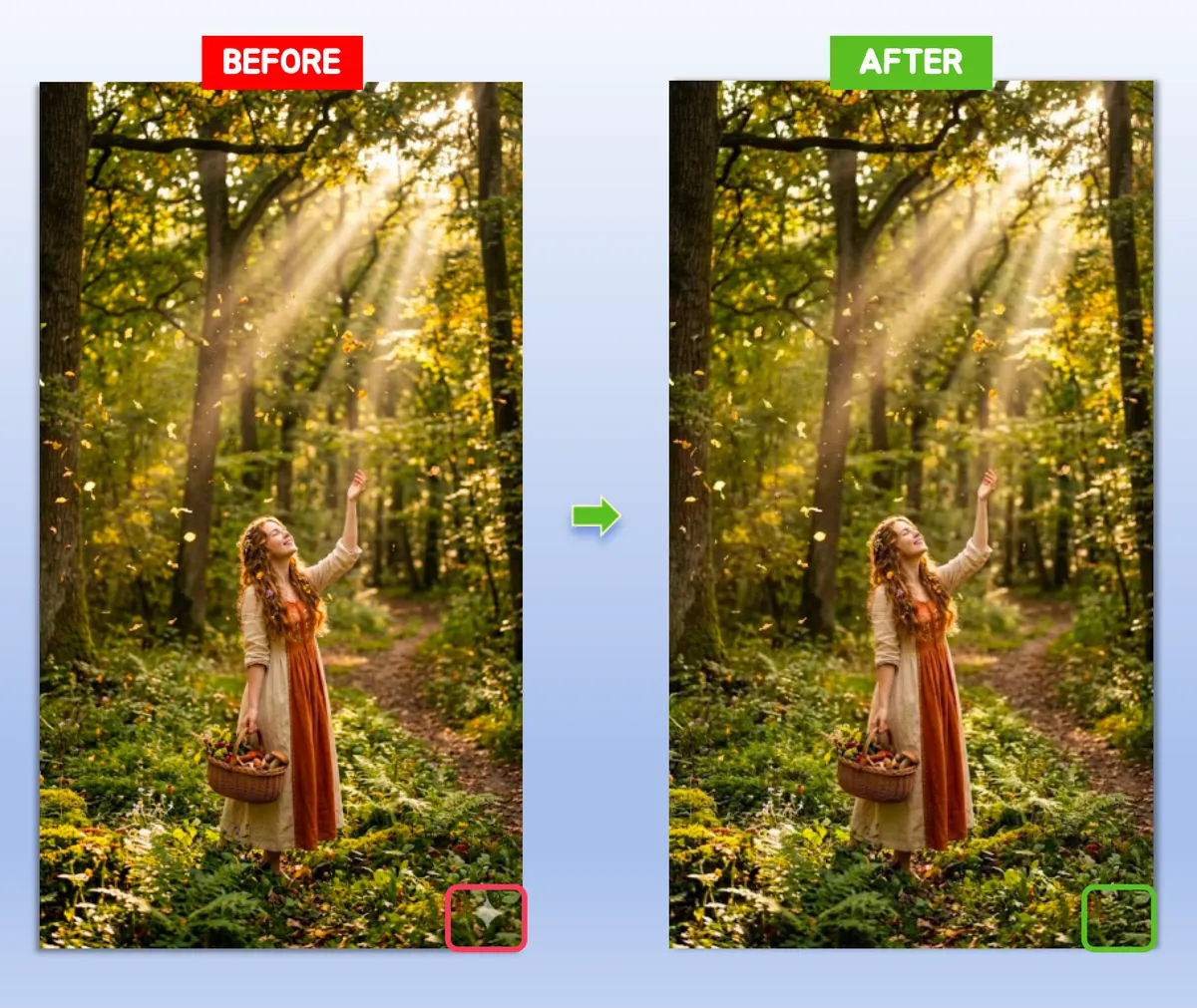
Figure 1: Free Gemini watermark remover workflow with before-and-after preview
What Should a Free Gemini Watermark Remover Do?
A useful free remover should focus on the visible Gemini mark and make the workflow simple:
- Upload PNG, JPG, or WebP
- Choose Quick Crop or AI Smart Removal
- Preview the repaired corner
- Download the cleaned image
- Avoid forced signup for basic use
The tool should also explain the trade-off: crop is faster, while AI Smart keeps the original canvas size.
What Is Free on This Page?
The search phrase Gemini watermark remover free usually means the user wants to test the result before committing to a paid editor. This page is written for that exact intent: remove the visible Gemini mark online without installing Photoshop, a Chrome extension, or a mobile app.
For most Gemini exports, the free workflow is enough when:
- The watermark sits in a plain lower-right corner
- You only need one or a few cleaned images
- The final image is for a post, slide, thumbnail, moodboard, or layout draft
- You can accept either a tiny crop or an AI-repaired corner
If the image contains sensitive commercial material, private faces, or client-owned assets, check the tool behavior and your rights before uploading. The free workflow is about convenience, not permission to reuse images you do not own.
Free Does Not Mean Low Quality
The main quality issue is not price. It is method choice.
Quick Crop
Quick Crop is free, fast, and reliable when the watermark sits in a disposable corner. It removes the affected edge instead of trying to reconstruct it.
AI Smart Removal
AI Smart Removal is better when the image dimensions matter. It repairs the lower-right watermark area so the image keeps its original shape.
| Free method | Best for | Main trade-off |
|---|---|---|
| Quick Crop | Simple corners, social posts, thumbnails | Slightly smaller canvas |
| AI Smart Removal | Slides, product mockups, full-frame layouts | Needs a quality check after repair |
When to Use the Free Online Tool
Use a free online Gemini watermark remover when:
- You have a small batch of Gemini images
- You need clean visuals for slides or social posts
- You do not want to install an extension
- You want to review results before download
If you are comparing online methods in detail, read Gemini Watermark Remover Online.
When the Free Tool Is Not Enough
A free Gemini watermark remover is not the right answer for every image. If the watermark overlaps a face, product edge, text, UI screenshot, or detailed background, inspect the result at 100% zoom. If the repaired corner looks soft or repeated, crop may be more honest than reconstruction.
For deeper editing decisions, use the full tutorial: How to Remove Gemini Watermark. If your query is specifically about one exported file, use How to Remove Gemini Watermark from an Image.
What to Check Before Downloading
Before saving the cleaned image, inspect:
- The lower-right corner
- Edge transitions
- Gradients or shadows near the original mark
- Any object outlines close to the watermark
If the corner looks unnatural, switch from crop to AI Smart or retry with the original export.
Free vs Paid Gemini Watermark Tools
| Feature | Free browser workflow | Paid editor |
|---|---|---|
| Install required | No | Often yes |
| Good for quick cleanup | Yes | Sometimes slower |
| Method selection | Crop + AI repair | Depends on app |
| Best for batches | Small to medium | Depends on plan |
| Learning curve | Low | Higher |
For most exported Gemini images, a free browser-based workflow is enough.
FAQ
Is there a free Gemini watermark remover?
Yes. Use Gemini Watermark Remover for a free online workflow.
Do I need an extension?
No. The workflow runs online without requiring a Chrome extension.
What is the best free method?
Quick Crop is fastest. AI Smart Removal is better when the original dimensions matter.
Is a free Gemini watermark remover different from a paid editor?
Yes. A paid editor may offer layers, manual masks, batch controls, and local file handling. A free online Gemini watermark remover is better for quick visible-mark cleanup when you need a fast result, not a full editing suite.